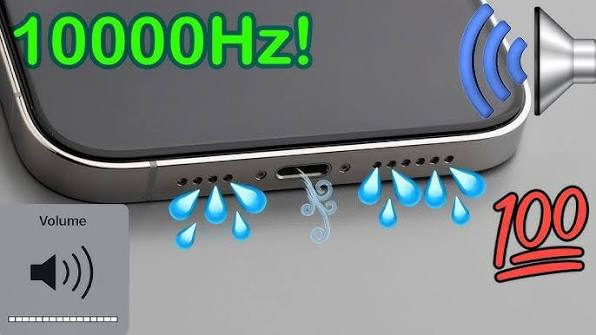
A vibration speaker test is a simple way to check whether your phone speaker is producing sound and vibration correctly. If your smartphone speaker sounds weak, distorted, muffled, or quieter than usual, a vibration-based test may help you identify whether the problem is caused by dust, moisture, blocked speaker grills, or a possible hardware issue.
Modern smartphones rely on small speaker components that vibrate rapidly to create sound. When dust or moisture interferes with these vibrations, audio quality may decrease. Running a vibration speaker test can help you evaluate speaker performance and, in some cases, loosen small particles or moisture trapped around the speaker area.
This guide explains how a vibration speaker test works, when to use it, how to perform one safely, and what to do if your speaker still does not work properly.
What Is a Vibration Speaker Test?
A vibration speaker test uses sound frequencies or tones to make your smartphone speaker vibrate at different levels.
The speaker inside your phone contains a small diaphragm that moves back and forth to produce sound. Different audio frequencies cause this diaphragm to vibrate in different ways.
A vibration test may help you check for:
- Low speaker volume
- Muffled audio
- Distorted sound
- Crackling noises
- Water inside the speaker
- Dust buildup
- Uneven speaker performance
- Possible hardware problems
The test is especially useful when you notice that your phone speaker does not sound as clear as it normally does.
How Does a Vibration Speaker Test Work?
A speaker produces sound by converting electrical signals into physical vibrations.
When a vibration speaker test plays different tones, the speaker diaphragm moves at specific frequencies. These vibrations create sound waves that you can hear.
If the speaker is working normally, the sound should generally remain clear and consistent.
If there is a problem, you may hear:
- Buzzing
- Crackling
- Rattling
- Distortion
- Very low volume
- No sound at certain frequencies
These symptoms can help indicate whether the speaker needs cleaning or professional inspection.
Why Should You Test Your Phone Speaker?
Your smartphone speaker can lose performance for several reasons.
Dust, lint, dirt, moisture, software problems, or physical damage can affect how clearly the speaker produces sound.
A vibration speaker test gives you a quick way to evaluate the speaker before considering repair.
It may be useful if:
- Your phone recently got wet
- Audio suddenly became muffled
- Speaker volume seems lower
- Music sounds distorted
- Calls are difficult to hear
- You hear rattling from the speaker
- One speaker sounds different from another
Testing can help you determine whether the issue is temporary or persistent.
How to Perform a Vibration Speaker Test
Running a vibration speaker test is usually simple.
Step 1: Remove Your Phone Case
A thick or poorly fitted phone case can partially block speaker openings.
Remove the case before testing so the speaker can produce sound without obstruction.
Step 2: Check the Speaker Grill
Look at the speaker opening under good lighting.
If you notice visible dust or lint, gently clean the surface using a soft and dry brush.
Do not push sharp objects into the speaker holes.
Step 3: Increase the Volume
Set your media volume to a moderate or high level.
Avoid immediately using maximum volume, especially if the speaker is already producing distorted sounds.
Step 4: Play a Speaker Test Tone
Play a vibration or frequency-based speaker test.
Listen carefully for changes in sound quality.
Step 5: Check for Distortion
Pay attention to buzzing, crackling, rattling, or sudden changes in volume.
A healthy speaker should generally produce a stable sound without excessive distortion.
Can a Vibration Speaker Test Remove Water?
A vibration speaker test may help move small amounts of moisture trapped near the speaker.
Certain sound frequencies make the speaker diaphragm vibrate strongly. These vibrations may encourage water droplets to move away from the speaker opening.
If your phone speaker sounds muffled after minor water exposure, a vibration test may help.
For better results, position the speaker opening downward while playing the test tone. This may allow moisture to move outward more easily.
However, a speaker test cannot repair serious water damage.
If your phone was completely submerged or continues malfunctioning, professional inspection may be necessary.
Can Speaker Vibrations Remove Dust?
Vibration may help loosen light or loose dust, but it is not always effective against compacted dirt.
If dust is physically blocking the speaker grill, gentle cleaning with a soft, dry brush may be more effective.
A vibration speaker test can be used after cleaning to check whether the sound has improved.
Combining gentle surface cleaning with a speaker test can help identify whether dust was responsible for the audio problem.
How to Know If Your Speaker Is Working Properly
During a vibration speaker test, listen for several signs of normal speaker performance.
A properly functioning speaker should usually provide:
- Clear sound
- Stable volume
- Minimal buzzing
- No unusual rattling
- Consistent audio
- Balanced performance
You can also test your speaker using music, voice recordings, videos, and phone calls.
If all types of audio sound clear, your speaker is likely functioning normally.
Why Does My Speaker Buzz During a Vibration Test?
Buzzing can happen for several reasons.
One possibility is that dust or debris is touching the speaker grill.
Another possible cause is moisture near the speaker diaphragm.
Buzzing can also occur when the speaker is played at extremely high volume.
If the buzzing continues at moderate volume after cleaning and drying the device, the speaker may have a hardware problem.
A damaged speaker diaphragm can produce persistent buzzing or rattling sounds.
Speaker Test for Low Volume Problems
If your speaker sounds quieter than expected, first check your phone’s volume settings.
Make sure media volume is turned up.
If the problem occurs during phone calls, adjust the call volume while a call is active.
You should also check whether your phone is connected to:
- Bluetooth earbuds
- Wireless headphones
- Car audio
- External speakers
- Other Bluetooth devices
Disconnect these devices and run the vibration speaker test again.
If the sound improves, the issue may have been related to audio routing rather than the speaker itself.
How to Test Phone Speakers After Water Exposure
If your phone has recently been exposed to water, avoid charging it until the relevant ports are dry.
Position the phone so the speaker opening faces downward.
Run a speaker vibration tone for a short period.
You may repeat the process if the speaker still sounds muffled.
Afterward, allow the device to dry naturally in a ventilated location.
Avoid using excessive heat, as high temperatures can damage smartphone components.
What Should You Avoid During a Speaker Test?
A vibration speaker test should be performed carefully.
Avoid playing extremely loud test frequencies for extended periods.
Continuous maximum-volume audio may place unnecessary stress on the speaker.
You should also avoid:
- Hitting or shaking the phone aggressively
- Inserting needles into speaker holes
- Pouring water into the speaker
- Using sharp cleaning tools
- Applying strong compressed air
- Heating the phone with a hair dryer
Gentle testing and cleaning are safer for delicate smartphone components.
Can a Vibration Speaker Test Fix a Broken Speaker?
No.
A vibration speaker test is mainly useful for checking speaker performance and potentially moving minor moisture or loose debris.
It cannot repair:
- Torn speaker components
- Damaged internal wiring
- Broken speaker modules
- Serious water damage
- Physical impact damage
If your speaker has a hardware problem, replacement or professional repair may be required.
How Often Should You Test Your Phone Speaker?
There is usually no need to run speaker tests regularly if your phone sounds normal.
A vibration speaker test is most useful when you notice a change in audio performance.
You may perform a test when:
- Speaker sound becomes muffled
- Volume suddenly decreases
- Your phone gets wet
- You hear unusual buzzing
- The speaker has been cleaned
- Audio quality changes after a drop
Testing only when needed is generally enough.
Benefits of a Vibration Speaker Test
Using a vibration speaker test provides several benefits.
These include:
- Quick speaker performance checking
- Easy identification of distorted sound
- Helps detect buzzing or rattling
- May assist with minor moisture removal
- Helps test sound after speaker cleaning
- Requires no complicated equipment
- Can help determine whether repair may be needed
It provides a convenient first step when troubleshooting smartphone audio.
When Should You Visit a Repair Technician?
If your speaker continues to perform poorly after testing and cleaning, professional assistance may be necessary.
Consider repair if:
- No sound comes from the speaker
- Crackling continues constantly
- Volume remains extremely low
- Speaker stopped working after a drop
- Audio cuts in and out
- Water exposure caused lasting problems
- Rattling continues at normal volume
A technician can inspect the speaker internally and determine whether cleaning or replacement is needed.
FAQs About Vibration Speaker Test
What is a vibration speaker test?
A vibration speaker test uses sound frequencies to make your phone speaker vibrate so you can check its sound quality and performance.
Can vibration clean a phone speaker?
Vibration may help move loose particles or small amounts of moisture, but compacted dust may require gentle physical cleaning.
Can a vibration speaker test remove water?
It may help move minor moisture near the speaker, but it cannot repair serious liquid damage.
Why does my speaker crackle during the test?
Crackling can be caused by moisture, dust, excessive volume, or a damaged speaker component.
Is a speaker vibration test safe?
It is generally safer when used at a reasonable volume for a short period. Avoid prolonged maximum-volume test tones.
What should I do if the speaker fails the test?
Restart your phone, check audio settings, clean visible dust, disconnect Bluetooth devices, and test again. If the issue continues, professional inspection may be required.
Conclusion
A vibration speaker test is a useful way to check whether your smartphone speaker is producing clear and consistent audio. It can help identify low volume, buzzing, distortion, moisture-related problems, and other speaker issues.
Vibration-based tones may also help move small amounts of moisture or loose debris from the speaker area. However, they cannot repair damaged hardware or remove heavily compacted dirt.
For the best results, combine safe speaker testing with gentle cleaning and proper phone maintenance. If your speaker continues to sound distorted, weak, or completely silent after testing, having the device checked by a qualified technician is the safest solution.