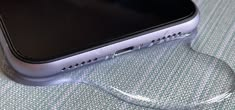
If water has accidentally gotten into your phone, Bluetooth speaker, laptop speaker, or another audio device, you may notice muffled sound, low volume, crackling, or distorted audio. In many cases, moisture trapped inside or around the speaker grille can affect sound quality.
If you are searching for fix my speaker water, you are probably looking for a quick and safe way to remove moisture and get your speaker working normally again. Fortunately, there are several simple steps you can try before considering professional repair.
What Happens When Water Gets Into a Speaker?
Speakers use delicate components to produce sound. When water reaches the speaker grille or internal components, it can interfere with the movement of the speaker diaphragm. Even a small amount of moisture can make audio sound muffled or distorted.
Common symptoms of water exposure include:
- Muffled or quiet sound
- Crackling audio
- Distorted music or voices
- Reduced bass
- Intermittent sound
- Buzzing or vibrating noises
- Speaker audio that sounds blocked
The good news is that minor moisture exposure does not always mean your speaker is permanently damaged. Acting carefully and allowing the device to dry can often help.
Fix My Speaker Water: First Steps to Take
The first thing you should do is stop using the affected device if you suspect that water has entered it.
If the device is electronic and can be safely powered off, turn it off. Disconnect charging cables and other accessories. Continuing to operate an electronic device while moisture is present can increase the possibility of damage.
Next, gently wipe the outside of the device with a clean, dry cloth. Pay particular attention to the speaker grille and nearby openings.
Do not shake the device aggressively. Shaking can cause moisture to move deeper into the device.
Let the Speaker Dry Naturally
One of the safest methods for dealing with minor moisture is simply giving the speaker enough time to dry.
Place the device in a dry, well-ventilated area at room temperature. Keep the speaker grille facing downward or positioned in a way that allows moisture to escape naturally, when appropriate for the device.
Avoid placing the device directly under intense heat. High temperatures can damage batteries, plastics, adhesives, displays, and other electronic components.
Patience is important. A speaker that sounds distorted immediately after getting wet may improve considerably after it has had enough time to dry.
Use a Speaker Water Removal Sound
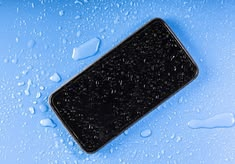
Some phones and smart devices can play specially designed low-frequency sounds that may help move small amounts of water away from the speaker opening.
These sounds work on a simple principle: the speaker produces vibrations that can help push moisture away from the speaker grille.
If you use a water-removal sound, keep the volume at a reasonable level and follow the instructions for your particular device. This method is more appropriate for small amounts of moisture around the speaker opening and should not be treated as a guaranteed solution for a device that has been submerged.
For deeper water exposure, natural drying and professional inspection may be more appropriate.
Why You Should Avoid Rice
A common internet suggestion is to place a wet electronic device in uncooked rice. However, rice is not a reliable solution for removing internal moisture.
Small particles and dust from rice can potentially enter openings such as speaker grilles, ports, and buttons. Rice also does not magically extract water from every internal component.
Instead, focus on keeping the device in a dry, ventilated environment and giving it adequate time to dry.
Do Not Use a Hair Dryer on High Heat
When searching for fix my speaker water, you may find advice recommending a hair dryer. This can be risky, especially when high heat is involved.
Excessive heat may damage sensitive electronic components or affect the device’s battery and adhesives. Strong airflow can also push moisture farther inside.
If airflow is necessary, use only gentle, cool airflow from a safe distance. Natural ventilation is usually the simpler choice.
How to Tell If Your Speaker Is Getting Better
After allowing the device to dry, check whether the sound quality has improved.
You may notice that:
- The volume returns to normal.
- Crackling becomes less noticeable.
- Voices sound clearer.
- Bass improves.
- Distortion disappears.
- The speaker no longer sounds muffled.
Avoid repeatedly testing a device that may still contain moisture. Give it sufficient drying time before checking it again.
What If the Speaker Still Sounds Muffled?
If the speaker continues to sound muffled after drying, there may be moisture trapped behind the grille or another component may have been affected.
Start by checking the speaker opening for visible dirt or debris. Do not insert sharp objects, cotton swabs, or other items deep into the grille because they can damage the speaker.
If the device has been exposed to a significant amount of water, professional repair may be the safest option. A technician can inspect the internal components and determine whether cleaning or replacement is necessary.
Preventing Future Water Damage
Prevention is easier than repair. Keep electronic speakers away from sinks, pools, bathtubs, drinks, and other sources of water unless the device is specifically designed to be water-resistant.
If your speaker has a water-resistance rating, remember that water resistance does not necessarily mean waterproof in every situation. The level of protection depends on the device’s rating and the conditions involved.
You should also avoid charging a device while its charging port or other openings are wet. Allow moisture to dry first.
Common Mistakes to Avoid
When trying to fix my speaker water problems, avoid methods that could make the situation worse.
Do not:
- Use extreme heat.
- Put the device in direct sunlight for extended periods.
- Insert objects into the speaker grille.
- Shake the device aggressively.
- Charge a wet device.
- Use strong compressed air directly on sensitive openings.
- Assume rice will completely remove internal moisture.
- Continue using the device if it is behaving abnormally after water exposure.
Simple and careful handling is generally better than aggressive drying techniques.
Can Water Permanently Damage a Speaker?
Yes, significant water exposure can permanently damage a speaker. The risk depends on factors such as the amount of water, how long the device was exposed, whether water reached internal electronics, and whether the device has water resistance.
However, minor exposure does not automatically mean the speaker is ruined. If the problem is mainly moisture around the speaker opening, the sound may return to normal after the moisture evaporates.
If the device remains distorted, fails to turn on, becomes unusually hot, or develops other unusual behavior, stop using it and consider professional assistance.
Fix My Speaker Water: Final Thoughts
If you are searching for fix my speaker water, the safest approach is to act calmly. Turn off the device when appropriate, disconnect it from power, wipe away external moisture, and allow it to dry naturally in a well-ventilated environment.
For minor moisture around a speaker grille, a suitable water-removal sound may also help. Avoid risky methods such as high heat, aggressive shaking, or relying on rice.
Most importantly, remember that patience can make a difference. If the speaker continues to produce distorted or muffled audio after adequate drying time, the problem may require professional inspection.
Taking these precautions can help protect your device and give your speaker the best chance of returning to normal sound quality.