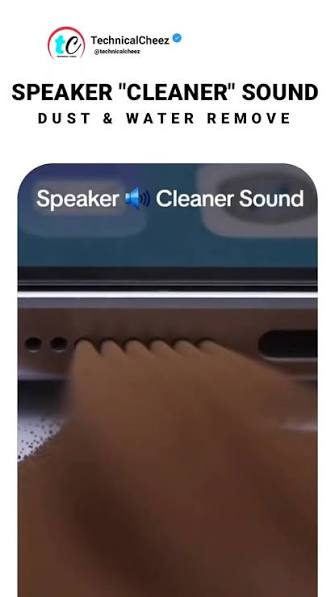
Has your phone speaker started sounding muffled, low, or unclear after exposure to water, humidity, or everyday dust? In many cases, the issue may be caused by moisture or small particles around the speaker grille rather than permanent speaker damage.
A phone speaker cleaner sound uses specially generated audio frequencies to create vibration through your mobile speaker. These vibrations may help push out small water droplets and loosen light debris near the speaker opening.
For smartphone users in India, this can be a quick first step before visiting a repair centre, especially when the speaker problem started after rain, a small splash, or normal daily use.
What Is a Phone Speaker Cleaner Sound?
A phone speaker cleaner sound is an audio tone or frequency pattern designed to make your smartphone speaker vibrate.
Your phone speaker produces sound by moving a tiny diaphragm back and forth. When controlled tones are played, this movement creates vibration around the speaker grille.
If small droplets of water are trapped near the opening, the vibration may help move them outward. It may also loosen very light dust sitting around the speaker area.
This method is mainly useful for minor speaker problems caused by:
- Light water exposure
- Rain droplets
- Humidity
- Loose dust
- Slightly muffled audio
- Reduced speaker clarity
It should not be considered a repair method for damaged hardware.
Why Does a Phone Speaker Sound Muffled?
A muffled speaker can happen for several reasons.
Water Inside or Around the Speaker Grille
One of the most common causes is moisture.
You may notice the problem after:
- Getting caught in the rain
- Accidentally spilling water near your phone
- Using your phone with wet hands
- Taking the phone into a humid bathroom
- Minor splashes near the speaker area
Even a small amount of water around the speaker opening can temporarily affect sound quality.
Dust and Small Particles
India’s dusty environment can make phone speaker grilles collect particles over time, especially if the phone is regularly carried in pockets, bags, or used outdoors.
Loose particles may slightly interfere with sound output.
Phone Case Blocking the Speaker
Sometimes the issue is much simpler.
A thick or poorly designed phone case can partially block the speaker opening. Before trying any cleaning method, remove the case and test the sound again.
Software or Audio Settings
Not all speaker problems are physical.
Low volume may also be caused by:
- Bluetooth audio connections
- Volume limits
- Equalizer settings
- App-specific audio controls
- Temporary software glitches
Check these before assuming your speaker needs repair.
How Does Phone Speaker Cleaner Sound Work?
The method works through vibration.
When a low or controlled frequency plays through your mobile speaker, the speaker diaphragm moves repeatedly.
This movement may create enough pressure to shift small water droplets away from the speaker opening.
Think of it as using sound energy to shake moisture loose rather than trying to physically touch the speaker.
Different frequency patterns may behave differently depending on the phone’s speaker design.
That is why some speaker-cleaning tools use:
- Water eject tones
- Low-frequency sounds
- Frequency sweeps
- Pulsing audio
- Deep-clean sound patterns
How to Use Phone Speaker Cleaner Sound
Follow these steps for better results.
Step 1: Remove Your Phone Case
Take off the protective case so the speaker grille remains completely open.
A case can interfere with sound vibration and may also trap moisture around the device.
Step 2: Disconnect Earphones and Bluetooth Devices
Turn off Bluetooth temporarily.
Remove wired earphones or other connected audio devices so the cleaning sound plays through the phone’s built-in speaker.
Step 3: Keep the Speaker Facing Downward
Position your mobile so the speaker grille points toward the floor.
This allows gravity to assist the vibration in moving moisture outward.
Do not place the speaker tightly against a table or cloth.
Step 4: Start the Cleaning Sound
Play the speaker cleaner sound through your phone.
Allow the sound to run for a short cleaning cycle.
You may notice tiny droplets appearing around the speaker grille if moisture was trapped there.
Step 5: Wipe the Outside Carefully
Use a dry, soft microfiber cloth to remove moisture from the exterior.
Do not insert anything inside the speaker grille.
Step 6: Test the Speaker Again
Play:
- A song you know well
- A YouTube video
- A voice recording
- A ringtone
Compare the sound with how it was before cleaning.
If the speaker sounds clearer, the moisture may have been partially removed.
Phone Speaker Cleaner Sound for Android
Android phones come with many different speaker configurations.
Brands commonly used in India include:
- Samsung
- Xiaomi
- Redmi
- OnePlus
- Realme
- Vivo
- Oppo
- Motorola
- Nothing
- Google Pixel
A browser-based speaker cleaner sound can generally be played through any Android device that supports normal web audio.
You do not normally need to install a special application just to play the sound.
However, results may vary depending on:
- Speaker size
- Speaker position
- Amount of trapped moisture
- Phone model
- Speaker condition
Phone Speaker Cleaner Sound for iPhone
The same basic method can also be used on iPhones.
If your iPhone speaker becomes muffled after light water exposure, playing a controlled cleaning sound may help move droplets around the speaker grille.
Keep the speaker facing downward during the process.
After the cleaning cycle, test music or a voice recording before repeating the sound.
If the phone has experienced serious liquid exposure, professional inspection is safer.
Can Speaker Cleaner Sound Remove Water?
It can sometimes help remove a small amount of water trapped near the phone speaker.
The sound itself does not absorb water.
Instead, the repeated movement of the speaker diaphragm creates vibration that may force droplets away from the speaker opening.
This makes the method most useful when:
- The phone was lightly splashed
- The speaker became muffled after rain
- Water is near the speaker grille
- The device is otherwise working normally
It is not designed for phones that have been fully submerged or suffered internal liquid damage.
Can Phone Speaker Cleaner Sound Remove Dust?
It may help with loose dust near the speaker grille, but expectations should be realistic.
Sound vibration may loosen very small particles.
However, it is unlikely to remove:
- Grease
- Sticky dirt
- Compacted dust
- Debris deep inside the device
- Material trapped behind internal speaker mesh
If the speaker grille is visibly clogged, careful professional cleaning may be more appropriate.
What Frequency Is Used to Clean a Phone Speaker?
There is no single perfect frequency for every smartphone.
Different speaker-cleaning tools may use lower frequencies or gradually move through a range of tones.
Lower frequencies can produce more noticeable physical speaker movement than very high tones.
A frequency sweep can also be useful because different devices respond differently to particular frequencies.
The objective is not simply to make the loudest sound possible. The goal is controlled vibration.
Should You Use Maximum Volume?
Not necessarily.
You should use a strong but comfortable volume.
If the sound begins to distort heavily or feels excessively harsh, reduce the volume.
Playing extremely loud tones for long periods is unnecessary.
A short controlled cleaning cycle is generally more sensible than continuously running the sound at maximum volume.
How Many Times Can You Run a Speaker Cleaner Sound?
Start with one cleaning cycle.
Then test the speaker.
If there is still minor muffling and the phone only had light moisture exposure, you can allow the device some time to dry and try another short cycle later.
Avoid repeatedly running loud cleaning sounds without checking whether they are making any difference.
If several attempts do not improve the sound, another issue may be responsible.
Common Mistakes to Avoid
When trying to clean a phone speaker, avoid these mistakes.
Do Not Insert Pins or Needles
Never push:
- Needles
- Pins
- Toothpicks
- Metal tools
into the speaker grille.
These can damage the protective mesh or internal speaker components.
Do Not Pour Cleaning Liquid Into the Speaker
Adding more liquid can make the problem worse.
Do Not Use Excessive Heat
Avoid trying to dry the phone with very hot air.
Excessive heat can damage adhesives, seals, batteries, displays, and internal electronics.
Do Not Assume Every Sound Problem Is Water
If your phone speaker has been low for weeks or months, water may not be the cause.
The issue could involve:
- Speaker wear
- Internal hardware damage
- Software settings
- Dust buildup
- Damaged speaker mesh
Speaker Cleaner Sound vs Manual Cleaning
Both methods have different purposes.
A speaker cleaner sound is useful when the problem may involve small amounts of moisture or loose particles.
Manual cleaning may be more appropriate for visible surface dust.
However, manual cleaning should be done carefully.
A soft brush around the exterior speaker grille is much safer than inserting sharp objects into the opening.
For deeper cleaning, professional servicing is preferable.
When Should You Visit a Mobile Repair Shop?
You should consider professional help if:
- The speaker remains distorted after cleaning
- There is no sound at all
- The phone was fully submerged
- The device switches off unexpectedly
- The phone becomes unusually hot
- Charging stops working
- The speaker crackles continuously
- The phone has visible physical damage
- Water entered multiple parts of the device
A sound-based cleaning tool cannot repair damaged internal components.
How to Keep Your Phone Speaker Cleaner
Preventive care can reduce speaker problems.
Use a Proper Phone Case
Choose a case that protects the device without covering speaker openings.
Keep the Phone Away From Water
Even water-resistant smartphones should not be exposed to unnecessary moisture.
Clean the Exterior Regularly
Use a clean, dry microfiber cloth.
For light dust, a very soft brush can help clean the surface around the grille.
Avoid Dirty Pockets or Bags
Small fibres and dust can gradually collect around phone openings.
Keep the Speaker Area Uncovered
Check whether your screen protector, case, or accessory is interfering with the speaker.
Benefits of Using an Online Phone Speaker Cleaner
An online speaker cleaner is convenient because it can be used directly from the phone experiencing the problem.
Some useful advantages include:
- No app installation required
- Quick to access
- Suitable for Android and iPhone
- Easy to use
- Helpful after minor water exposure
- Can be used before considering professional repair
- No special equipment required
For many users, it is simply a convenient troubleshooting tool.
Is Phone Speaker Cleaner Sound Safe?
For normal use, controlled speaker-cleaning audio can be a practical troubleshooting method.
The key is moderation.
Use a reasonable volume and do not run loud sounds continuously for extended periods.
Stop if:
- The speaker produces severe distortion
- The device behaves abnormally
- You hear unusual mechanical noises
- The phone starts overheating
In such cases, further troubleshooting may be needed.
FAQs About Phone Speaker Cleaner Sound
What is a phone speaker cleaner sound?
It is an audio tone designed to create vibration through a phone speaker. The vibration may help move small water droplets and loose particles away from the speaker grille.
Can speaker cleaner sound fix muffled audio?
It may help when muffled sound is caused by minor moisture or loose debris around the speaker.
It will not repair a physically damaged speaker.
Can I use speaker cleaner sound on Android?
Yes. You can play speaker-cleaning tones through most Android phones using a compatible browser.
Can I use it on an iPhone?
Yes. The same sound-based method can be used on an iPhone for minor moisture around the speaker grille.
Does speaker cleaner sound really eject water?
Speaker vibration may help push small droplets out of the speaker opening, particularly when the phone is positioned with the speaker facing downward.
How long should I play the sound?
A short cleaning cycle is usually enough for an initial attempt. Test your normal audio afterward before deciding whether another cycle is necessary.
Can it remove dust from the speaker?
It may loosen very light dust but cannot reliably remove deeply compacted or sticky debris.
Do I need to download an app?
Not if you are using a browser-based speaker-cleaning tool. You can run the sound directly from a compatible browser.
Conclusion
A muffled phone speaker does not always mean that your device needs an expensive repair. If the issue started after a small splash, rain exposure, humidity, or light dust buildup, controlled sound vibration may help restore clearer audio.
Using a phone speaker cleaner sound is a simple first troubleshooting step for Android and iPhone users in India. Keep the speaker facing downward, remove the phone case, use a comfortable volume, and test the sound after completing a cleaning cycle.
If the speaker remains heavily distorted or the phone has suffered serious water damage, stop relying on sound-based cleaning and have the device inspected professionally.