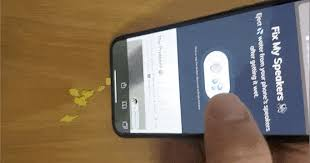
If your smartphone speaker starts sounding muffled after rain, a splash, or minor water exposure, you may come across fixmyspeakers.com while searching for a quick solution. FixMySpeakers.com describes itself as an online water and dust ejection tool for phone speakers, along with speaker testing and sound-check features.
The basic idea is simple: play sound through the phone speaker so the speaker diaphragm vibrates and may help move small amounts of moisture around the speaker opening. If you want another browser-based option, you can also use this online phone speaker cleaner, which provides Water Eject, Dust Removal, Deep Clean, and Frequency Sweep modes.
For Android and iPhone users in India, these browser-based tools can provide a convenient first troubleshooting step when a speaker becomes temporarily muffled after minor exposure to water.
What Is FixMySpeakers.com?
FixMySpeakers.com is a web-based phone speaker utility designed primarily for water and dust ejection. Its website also provides related tools for speaker testing and sound checks.
Instead of physically opening the smartphone, the tool uses sound played through the device’s speaker.
The general purpose is to help users dealing with symptoms such as:
- Muffled speaker audio
- Reduced sound clarity
- Speaker problems after minor water exposure
- Moisture around the speaker grille
- Possible loose particles near speaker openings
However, sound-based speaker cleaning should not be confused with repairing damaged hardware.
How Does FixMySpeakers.com Work?
The idea behind FixMySpeakers.com is based on speaker vibration.
A smartphone speaker contains a small diaphragm that moves rapidly to produce sound. When particular tones are played, the diaphragm creates physical vibration.
That vibration may help move water droplets sitting around the speaker grille.
The process can be understood in a few steps:
- A sound is played through the phone speaker.
- The speaker diaphragm begins vibrating.
- The vibration disturbs moisture around the speaker opening.
- Small droplets may move outward.
- The user can then test whether the speaker sounds clearer.
FixMySpeakers.com describes its primary purpose as assisting with water removal from phone speakers after accidental water exposure.
Why Do People Search for FixMySpeakers.com?
People usually search for fixmyspeakers.com after noticing an unexpected change in mobile audio.
Common situations include:
- Phone speaker muffled after rain
- Mobile dropped near water
- Water splashed onto a smartphone
- Speaker volume suddenly became low
- Audio sounds distorted after moisture exposure
- User wants a speaker water eject sound
- User wants an online speaker cleaning tool
In India, these problems can be particularly noticeable during monsoon conditions, when smartphones may be exposed to rain and moisture more frequently.
How to Use a Tool Like FixMySpeakers.com
If your phone has experienced only minor moisture exposure and is otherwise working normally, the following process can be used when trying a speaker-ejection sound.
1. Remove the Phone Case
Take your mobile case off before playing the cleaning sound.
A case can sometimes partially cover the speaker grille or trap moisture around the edge of the phone.
2. Disconnect Headphones
Remove wired headphones or earphones.
Also turn Bluetooth off temporarily so the cleaning audio is not sent to:
- Wireless earbuds
- Bluetooth speakers
- Car audio
- Smart headphones
The sound needs to come from the affected phone speaker.
3. Dry the Phone Exterior
Use a clean and dry microfiber cloth to remove visible moisture.
Do not push the cloth into speaker holes.
4. Point the Speaker Downward
Keep the speaker grille facing downward.
This allows gravity to assist while the sound vibration works around the speaker opening.
5. Play the Speaker Ejection Sound
Start the sound through the phone’s built-in speaker.
Keep the speaker opening uncovered during playback.
6. Check for Moisture
You may notice small droplets moving around the grille if water was present.
Carefully wipe visible moisture from the outside.
7. Test Normal Audio
After running the cleaning sound, test:
- Music
- YouTube videos
- Voice recordings
- Ringtones
- Speakerphone calls
Compare the clarity with how the phone sounded before the cleaning attempt.
FixMySpeakers.com for Water in Phone Speakers
Water is one of the main reasons people search for FixMySpeakers.com.
A small amount of moisture near the speaker opening can temporarily interfere with sound.
Possible symptoms include:
- Low volume
- Muffled voices
- Weak music
- Crackling
- Distorted audio
- Reduced clarity
A water-ejection sound attempts to address the moisture by generating speaker vibration.
FixMySpeakers.com specifically presents itself as a tool intended to help remove water from smartphone speakers.
FixMySpeakers.com for Dust
FixMySpeakers.com also positions its service around water and dust ejection.
Sound vibration may help with very light or loose particles near a speaker opening, but users should keep realistic expectations.
Sound is unlikely to completely remove:
- Sticky debris
- Grease
- Deeply packed dust
- Dirt behind internal mesh
- Foreign objects lodged inside a phone
These issues may require careful physical or professional cleaning.
FixMySpeakers.com for Android
The concept behind an online speaker-ejection tool is not restricted to one Android manufacturer.
The sound can be played through phones from brands commonly used in India, such as:
- Samsung
- Redmi
- Xiaomi
- OnePlus
- Realme
- Vivo
- Oppo
- Motorola
- Nothing
- Google Pixel
Results can vary because phones use different speakers and internal designs.
The amount of trapped moisture also matters.
FixMySpeakers.com for Samsung
Samsung users who notice muffled sound immediately after minor water exposure may try a speaker-ejection sound as an initial troubleshooting method.
Before starting:
- Remove the case
- Disconnect Bluetooth devices
- Keep the speaker open
- Position it downward
- Play the cleaning tone
- Test normal audio afterward
If the audio problem remains severe, further troubleshooting may be necessary.
FixMySpeakers.com for Redmi and Xiaomi
Redmi and Xiaomi devices can also develop temporary muffled audio when moisture is present near the speaker.
The same vibration-based approach can be tried.
The sound does not physically repair the smartphone. Its purpose is simply to produce speaker movement that may help with water near the grille.
FixMySpeakers.com for OnePlus
OnePlus users searching for FixMySpeakers.com are often trying to solve a temporary speaker issue without installing an additional application.
If the phone only experienced a small splash, a web-based cleaning sound can be an easy first step.
After the cycle, test the speaker before repeating it.
FixMySpeakers.com for Vivo, Oppo and Realme
Vivo, Oppo, and Realme phones use different speaker configurations, but the same basic sound-ejection concept applies.
Results depend on:
- Phone model
- Speaker placement
- Amount of moisture
- Speaker condition
- Whether internal damage occurred
If water entered deeper parts of the phone, a cleaning sound alone may not solve the problem.
Does FixMySpeakers.com Work on iPhone?
Web-based speaker sounds can also be played through an iPhone’s speaker.
The underlying method remains the same: audio creates diaphragm vibration that may help move moisture near the speaker opening.
However, a phone that has experienced significant liquid exposure should not be treated as a simple speaker-cleaning problem.
FixMySpeakers.com vs a Speaker Cleaner App
One attraction of web-based tools is convenience.
Instead of searching an app store and installing software, a user can open a website in the mobile browser and run the sound.
This can reduce the need for:
- App installation
- Extra storage usage
- Account creation
- Unnecessary application permissions
Both web tools and apps may use a similar basic principle: playing sound to create speaker vibration.
FixMySpeakers.com Alternative
Users searching for fixmyspeakers.com may also want alternatives offering more control over how the cleaning sound behaves.
Fix My Speaker Dust currently provides four browser-based cleaning patterns:
- Water Eject
- Dust Removal
- Deep Clean
- Frequency Sweep
It also offers adjustable frequencies from 20 Hz to 2000 Hz and a 60-second cleaning cycle.
This can be useful for people who want to select a cleaning mode rather than using only one sound pattern.
FixMySpeakers.com vs Fix My Speaker Dust
Both websites are intended for users dealing with mobile speaker problems, but their available controls and tools differ.
FixMySpeakers.com describes itself as a water and dust ejection service and also provides speaker-testing utilities.
Fix My Speaker Dust provides:
- Water Eject mode
- Dust Removal mode
- Deep Clean mode
- Frequency Sweep
- 20–2000 Hz adjustable frequency
- Volume control
- 60-second cleaning cycles
These features are currently shown on its online cleaning interface.
The better option depends on whether you simply want to play an ejection sound or want additional control over frequency and cleaning patterns.
Does FixMySpeakers.com Really Remove Water?
A speaker-cleaning sound should be understood correctly.
It does not absorb water.
Instead, speaker vibration may help move small droplets around the speaker opening.
This approach is most relevant when:
- Water exposure was minor
- The phone still works normally
- Only speaker clarity was affected
- The issue started after a splash or rain
It should not be treated as a guaranteed solution for severe water damage.
Can FixMySpeakers.com Repair a Broken Speaker?
No sound-based website can physically repair broken speaker hardware.
If the phone has:
- A damaged speaker
- Corrosion
- Internal liquid damage
- Broken electronic components
- Serious impact damage
playing a tone cannot rebuild or replace those components.
A technician may be required.
What Should You Do if Your Phone Fell Into Water?
A distinction should be made between a few droplets around a speaker and serious water exposure.
A speaker-ejection sound is most appropriate for minor moisture around the speaker grille.
If a phone has been significantly submerged, professional inspection may be necessary.
Fix My Speaker Dust similarly states that sound-based water ejection may help with small amounts of water around the speaker but cannot repair internal liquid damage.
What Not to Do When Cleaning a Wet Speaker
Avoid aggressive cleaning methods.
Don’t Insert a Needle
A needle or pin may damage the speaker mesh or components.
Don’t Pour Cleaning Liquid Into the Speaker
Adding more liquid may create additional problems.
Don’t Block the Speaker
Keep the grille open while playing a cleaning sound.
Don’t Play Extreme Volume Continuously
Maximum volume is not automatically more effective.
Use a reasonable sound level.
Don’t Assume Every Speaker Problem Is Water
Low audio can also result from:
- Dust
- Software settings
- Bluetooth
- Hardware failure
- Blocked speaker mesh
- Damaged components
FixMySpeakers.com Speaker Test
FixMySpeakers.com is not limited to water ejection. The site currently includes a Speaker Sound Test tool intended for checking left/right stereo sound.
Testing can be useful after a cleaning cycle.
For example, after attempting water ejection, you can play:
- Left-channel audio
- Right-channel audio
- Music
- Speech
- Ringtones
This can help determine whether the speaker sounds normal again.
How Many Times Should You Use a Speaker Cleaning Sound?
Start with one reasonable cleaning attempt.
Afterward:
- Stop the cleaning sound.
- Wipe visible moisture.
- Test normal audio.
- Allow additional drying time if necessary.
If the sound remains unchanged after multiple reasonable attempts, continuously repeating the same tone may not solve the underlying issue.
Is FixMySpeakers.com Free?
FixMySpeakers.com currently presents its main speaker-ejection functionality as a web tool accessible directly through its website.
Because online services can change over time, users should check the website itself for the latest available features or usage terms.
FAQs About FixMySpeakers.com
What is FixMySpeakers.com?
FixMySpeakers.com is an online tool focused on water and dust ejection from phone speakers and also offers speaker testing and sound-check tools.
What does FixMySpeakers.com do?
It plays sound through a phone speaker as part of a vibration-based approach intended to assist with water or debris near the speaker opening.
Can FixMySpeakers.com remove water from a speaker?
It is designed for water-ejection use, particularly around phone speakers. It should not be considered a repair for internal liquid damage.
Can I use FixMySpeakers.com on Android?
The website is browser-based, so its sound tools can be accessed from compatible mobile devices. Actual results depend on the phone and the cause of the speaker problem.
Can FixMySpeakers.com be used on an iPhone?
Its speaker-ejection concept can be used through a phone’s browser and built-in speaker. Serious iPhone liquid damage should still be professionally assessed.
Can FixMySpeakers.com remove dust?
The website describes itself as offering water and dust ejection. Sound vibration may be more useful for loose particles than for deeply compacted dirt.
Does FixMySpeakers.com repair speaker hardware?
No. A web-based sound tool cannot physically repair broken electronic components.
Is there a FixMySpeakers.com alternative?
Yes. Fix My Speaker Dust is another browser-based option offering Water Eject, Dust Removal, Deep Clean, and Frequency Sweep modes with adjustable frequency controls.
Do I need an app to eject speaker water?
Not necessarily. Browser-based speaker cleaning tools can run directly from a compatible web browser. Fix My Speaker Dust, for example, states that no app or signup is required.
What should I do if speaker cleaning doesn’t work?
If the speaker remains heavily muffled, produces no sound, or the phone experienced significant liquid exposure, professional diagnosis may be necessary.
Conclusion
FixMySpeakers.com is one of the online tools people use when looking for a quick way to deal with water or dust around a smartphone speaker. The site currently focuses on water and dust ejection while also providing related speaker-testing features.
For users in India who want more control over the cleaning process, Fix My Speaker Dust provides an alternative with Water Eject, Dust Removal, Deep Clean, Frequency Sweep, adjustable 20–2000 Hz frequency controls, and a 60-second browser-based cycle.
Whichever tool you choose, remember that speaker-ejection sounds are most appropriate for minor moisture or loose particles. If the phone has suffered serious liquid exposure, internal damage, or persistent audio failure, professional inspection is the safer next step.
Note: This article discusses FixMySpeakers.com for informational and comparison purposes. Fix My Speaker Dust is a separate website and is not presented as being affiliated with FixMySpeakers.com.