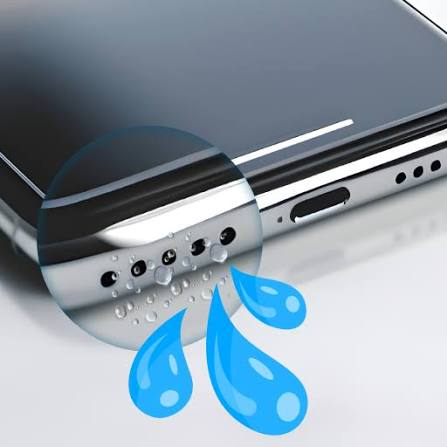
If your mobile speaker sounds low, muffled, or less clear than before, dust around the speaker grille may be part of the problem. Over time, phones collect small particles from pockets, bags, desks, and outdoor environments. A dust cleaner speaker tool can create controlled speaker vibration that may help loosen light dust and improve sound clarity without opening your phone.
For Android and iPhone users in India, a browser-based speaker cleaning tool can be a convenient first step when the speaker is working but sounds slightly blocked or unclear.
What Is a Dust Cleaner Speaker?
A dust cleaner speaker is a sound-based tool designed to create vibration through a smartphone speaker.
The vibration may help loosen light dust or small particles sitting around the speaker grille.
It can be useful when your phone has symptoms such as:
- Low speaker volume
- Muffled audio
- Reduced sound clarity
- Weak ringtone volume
- Unclear calls
- Dust around the speaker grille
- Slight audio distortion
A dust cleaner speaker should be used as a basic cleaning or troubleshooting method, not as a replacement for hardware repair.
How Does a Dust Cleaner Speaker Work?
Your mobile speaker contains a small diaphragm that moves rapidly to produce sound.
When a dust cleaner speaker sound is played, the diaphragm vibrates at controlled frequencies.
These vibrations can disturb loose particles around the speaker opening.
The process generally works like this:
- The dust cleaner speaker sound begins playing.
- The speaker diaphragm starts vibrating.
- Loose dust around the grille may begin moving.
- Small particles may shift away from the speaker opening.
- The speaker may sound clearer after the cleaning cycle.
The effectiveness depends on the type and amount of dust present.
Why Does Dust Collect in a Phone Speaker?
Smartphones are exposed to dust throughout the day.
Common sources include:
- Trouser pockets
- Handbags
- Backpacks
- Office desks
- Outdoor environments
- Construction areas
- Dusty roads
- Fabric fibres
In India, dry and dusty conditions in many regions can make dust buildup around phone openings more noticeable.
The speaker grille is especially vulnerable because it contains small openings where particles may collect.
Signs Your Phone Speaker May Have Dust
Dust buildup can affect sound gradually.
You may notice:
- Speaker volume is lower than before
- Music sounds less clear
- Voice calls sound muffled
- Ringtones are weaker
- High-frequency sounds seem blocked
- Dust is visible around the speaker grille
- Audio sounds slightly distorted
These symptoms can also have other causes, so dust should not automatically be assumed to be the only problem.
How to Use a Dust Cleaner Speaker Tool
Follow a simple process for safer speaker cleaning.
Step 1: Remove the Phone Case
Take off the phone cover before starting.
Some cases partially cover the speaker opening or trap particles around it.
Step 2: Turn Off Bluetooth
Disconnect your phone from:
- Bluetooth speakers
- Earbuds
- Wireless headphones
- Car audio
The dust cleaner speaker sound should play directly through your phone’s built-in speaker.
Step 3: Inspect the Speaker Grille
Look at the speaker opening under good lighting.
If you see heavy or sticky dirt, sound alone may not be enough.
Step 4: Position the Speaker Downward
Keep the phone speaker facing downward.
This allows loosened particles to move away from the speaker rather than deeper into the device.
Step 5: Start the Dust Cleaner Speaker Sound
Play the cleaning sound at a strong but comfortable volume.
Avoid covering the speaker opening with your hand.
Step 6: Allow the Cleaning Cycle to Finish
Let the sound run for a short cycle.
The vibration may help loosen light particles.
Step 7: Test the Speaker
After cleaning, play:
- Music
- Videos
- Ringtones
- Voice recordings
- Speakerphone calls
Compare the sound with how it was before.
Dust Cleaner Speaker for Android
A dust cleaner speaker tool can be used on many Android smartphones.
Popular Android brands in India include:
- Samsung
- Redmi
- Xiaomi
- OnePlus
- Realme
- Vivo
- Oppo
- Motorola
- Nothing
- Google Pixel
The cleaning principle is similar across devices: sound creates speaker vibration that may loosen light particles.
Results can vary depending on speaker design and the amount of dust.
Dust Cleaner Speaker for Samsung
Samsung phones often use small speaker grilles that can collect dust over time.
If your Samsung speaker sounds slightly muffled:
- Remove the case.
- Turn Bluetooth off.
- Keep the speaker downward.
- Run the dust cleaner speaker sound.
- Test the audio.
If the sound does not improve, the grille may require careful physical cleaning.
Dust Cleaner Speaker for Redmi and Xiaomi
Redmi and Xiaomi devices are widely used in India.
If dust collects around the speaker opening, a dust cleaner speaker sound may help loosen light particles.
Do not insert needles or metal objects into the speaker grille.
These can damage the mesh or internal components.
Dust Cleaner Speaker for OnePlus
OnePlus users can also try sound-based speaker cleaning.
Keep the speaker grille open and point it downward during the cleaning cycle.
Afterward, test the phone with music or a voice recording.
Dust Cleaner Speaker for Realme, Vivo and Oppo
Realme, Vivo, and Oppo smartphones can use the same vibration-based cleaning approach.
The result depends on:
- Amount of dust
- Speaker position
- Grille design
- Phone model
- Condition of the speaker
Heavy debris may require manual or professional cleaning.
Dust Cleaner Speaker for iPhone
A dust cleaner speaker sound can also be used on an iPhone.
If the speaker sounds quieter because of light dust around the grille, vibration may help move some particles.
However, the speaker mesh should never be cleaned aggressively.
Avoid sharp objects and excessive pressure.
Does a Dust Cleaner Speaker Really Work?
A dust cleaner speaker may help when the dust is:
- Light
- Loose
- Near the speaker grille
- Not deeply compacted
The sound does not vacuum dust out of the phone.
Instead, it creates vibration that may loosen particles.
A dust cleaner speaker is less likely to work on:
- Grease
- Sticky dirt
- Thick dust
- Deeply compacted debris
- Material behind the internal mesh
In these cases, physical or professional cleaning may be needed.
Can Dust Reduce Speaker Volume?
Yes, dust around a speaker grille can interfere with how sound travels outward.
A blocked opening may make audio seem:
- Quieter
- Less detailed
- Muffled
- Distorted
However, low volume can also be caused by:
- Software settings
- Bluetooth connections
- Damaged speakers
- Moisture
- Audio balance settings
Always check these possibilities as well.
Dust Cleaner Speaker Without an App
You do not always need an app to clean your phone speaker with sound.
A browser-based dust cleaner speaker tool can be used directly online.
This means you can avoid:
- App installation
- Account creation
- Sign-up
- Extra permissions
- Additional storage use
You simply open the tool and play the cleaning sound.
Online Dust Cleaner Speaker
An online dust cleaner speaker is convenient because it can be used directly from your phone.
It may be helpful when:
- The speaker sounds muffled
- Dust is visible near the grille
- You want a quick first cleaning step
- You do not want to install an app
The tool works through the phone’s speaker using audio vibration.
Best Way to Clean Speaker Dust Safely
Sound cleaning can be combined with safe external cleaning.
You can:
- Use a dry microfiber cloth
- Use a very soft clean brush
- Keep the speaker facing downward
- Use a dust cleaner speaker sound
- Avoid liquids
- Avoid sharp tools
Do not apply strong pressure to the speaker grille.
Can You Use a Toothbrush on a Phone Speaker?
A very soft and completely dry brush may sometimes help clean the outside of the speaker grille.
However, you should be gentle.
Do not:
- Push bristles deep into the holes
- Use water
- Use cleaning liquid
- Scrub aggressively
A dust cleaner speaker sound can be tried first before physical cleaning.
Should You Use a Needle to Clean Speaker Dust?
No.
Do not use:
- Needles
- Pins
- Safety pins
- Metal wires
- Sharp tools
These can damage:
- Speaker mesh
- Internal diaphragm
- Protective seals
- Microphone openings
Even if the dust looks easy to remove, sharp objects can create permanent damage.
Can Compressed Air Clean a Phone Speaker?
Strong compressed air is not always a good idea.
High-pressure air may push dust deeper into the phone or damage delicate components.
For normal maintenance, gentle external cleaning and sound-based vibration are safer first options.
Dust Cleaner Speaker vs Manual Cleaning
Both methods can be useful in different situations.
Dust Cleaner Speaker
Better for:
- Light loose particles
- Minor blockage
- Quick troubleshooting
- Cleaning without touching the grille
Manual Cleaning
Better for:
- Visible surface dust
- Fibres around the grille
- Dirt that does not move with sound
Manual cleaning should always be gentle.
Dust Cleaner Speaker vs Water Eject Sound
These two sound-cleaning methods target different problems.
Dust Cleaner Speaker
Designed for:
- Light dust
- Loose particles
- Minor debris
Water Eject Sound
Designed for:
- Water droplets
- Minor moisture
- Muffled sound after rain
Some online tools provide both cleaning modes.
What Frequency Is Used for Dust Cleaner Speaker?
There is no single perfect frequency for every smartphone.
Different phones use different speaker hardware.
A cleaning tool may use:
- Fixed tones
- Pulsing sounds
- Frequency sweeps
- Multiple frequency ranges
The objective is to create controlled vibration that may loosen particles.
Is High Volume Better for Dust Cleaning?
Not always.
Maximum volume is not necessary in every case.
Use a strong but comfortable level.
If the speaker begins producing severe distortion, reduce the volume.
Controlled vibration is more important than simply making the sound as loud as possible.
How Long Should You Run a Dust Cleaner Speaker?
Start with one short cleaning cycle.
Afterward:
- Stop the sound.
- Check the speaker grille.
- Test normal audio.
- Repeat later only if needed.
There is usually no reason to run speaker-cleaning sound continuously.
How Often Should You Clean Your Phone Speaker?
There is no fixed schedule.
You can check the speaker whenever:
- Audio becomes quieter
- Dust is visible
- The phone has been used in a dusty area
- The speaker starts sounding muffled
Routine gentle cleaning can help prevent heavy buildup.
Can Dust Permanently Damage a Speaker?
Light surface dust usually causes more of a blockage problem than permanent damage.
However, long-term heavy contamination or debris entering deeper parts of a device may affect performance.
If cleaning does not improve the speaker, professional inspection may be needed.
Common Mistakes While Cleaning Speaker Dust
Using Sharp Objects
Pins and needles can cause permanent damage.
Using Water
Never pour water into the speaker grille.
Using Strong Chemicals
Cleaning solutions may damage coatings, mesh, or internal components.
Using Excessive Air Pressure
Strong compressed air can push dirt deeper.
Scrubbing Aggressively
The speaker grille and mesh are delicate.
Running Loud Sounds for Too Long
Short, controlled cleaning cycles are preferable.
How to Keep Your Phone Speaker Dust-Free
Keep Pockets Clean
Dust and fabric fibres from pockets can enter the speaker grille.
Clean Your Phone Regularly
Wipe the exterior with a dry microfiber cloth.
Use a Proper Case
Choose a case that protects the phone without blocking speaker openings.
Avoid Dusty Surfaces
Do not place your phone directly on dusty desks, floors, or outdoor surfaces.
Check the Speaker Grille
Inspect it occasionally before the buildup becomes heavy.
When Should You Visit a Repair Shop?
Professional help may be required if:
- The speaker has no sound
- Volume remains very low
- Audio crackles constantly
- The speaker is physically damaged
- Dust is deeply compacted
- Cleaning produces no improvement
- The phone has also suffered water damage
A cleaning sound cannot repair broken internal components.
FAQs About Dust Cleaner Speaker
What is a dust cleaner speaker?
A dust cleaner speaker is a sound-based tool that creates vibration through a mobile speaker to help loosen light dust and small particles around the speaker grille.
Does dust cleaner speaker really remove dust?
It may help loosen light and loose particles, but it cannot reliably remove deeply compacted or sticky dirt.
Can I use dust cleaner speaker on Android?
Yes. Sound-based speaker cleaning can be used on many Android smartphones.
Can I use dust cleaner speaker on iPhone?
Yes. The same basic sound-vibration method can also be used on iPhones.
Do I need an app for dust cleaner speaker?
No. Browser-based speaker-cleaning tools can be used online without installing an app.
Can dust make my phone speaker quieter?
Yes. Dust buildup around the speaker grille may partially block sound output and make audio seem quieter.
What is the best frequency for dust cleaner speaker?
There is no universal frequency for every phone. Some tools use multiple frequencies or sweeps to create different vibration patterns.
Is maximum volume necessary?
No. A strong but comfortable volume is usually more sensible than continuously using maximum volume.
Can I use a needle to clean speaker dust?
No. Sharp objects can damage the grille, mesh, or internal speaker components.
Can speaker sound remove heavy dust?
Sound may help with loose dust but heavy or sticky debris may require careful manual or professional cleaning.
How long should I use a dust cleaner speaker?
Start with one short cleaning cycle and test the speaker before repeating it.
Can a dust cleaner speaker repair a broken phone speaker?
No. It can only help with certain surface-level cleaning issues and cannot repair damaged hardware.
Conclusion
If your mobile speaker has become quieter or muffled because of light dust buildup, a dust cleaner speaker tool can be a simple first step.
The cleaning sound creates vibration through the speaker, which may help loosen small particles around the grille. For Android and iPhone users in India, a browser-based dust cleaner speaker can be a convenient option because it does not require opening the phone or installing additional software.
For the best results, keep the speaker facing downward, use a reasonable volume, and avoid inserting pins, needles, or other sharp tools into the grille. If the dust is deeply compacted or the speaker remains distorted after cleaning, professional servicing may be the safer option.