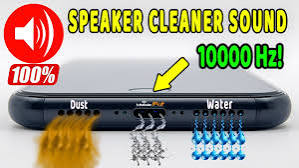
A phone speaker can start sounding muffled, weak, or distorted after exposure to water, moisture, or dust. Before assuming that the speaker is damaged, you can try a phone speaker cleaner sound to create vibration through the speaker and help move trapped water droplets or loose particles away from the speaker grille.
For mobile users in India, phone speaker cleaner sound can be a quick and convenient option after rain, accidental splashes, humidity, or everyday dust exposure. It works directly through your phone speaker and does not require opening the device.
What Is Phone Speaker Cleaner Sound?
Phone speaker cleaner sound is an audio frequency or sequence of frequencies designed to create controlled vibration through a smartphone speaker.
Every phone speaker contains a small diaphragm that moves rapidly when audio is played. A phone speaker cleaner sound uses this movement to generate stronger vibration around the speaker opening.
The vibration may help:
- Move small water droplets
- Reduce moisture around the speaker grille
- Loosen light dust
- Improve muffled speaker audio
- Restore clearer sound after minor water exposure
Phone speaker cleaner sound is mainly intended for temporary speaker blockage. It cannot repair a physically broken speaker or damaged internal components.
How Does Phone Speaker Cleaner Sound Work?
Phone speaker cleaner sound works by making the speaker diaphragm move repeatedly at selected frequencies.
When the speaker vibrates, trapped droplets near the speaker grille may begin moving toward the outside.
The process is simple:
- Phone speaker cleaner sound begins playing.
- The speaker diaphragm creates vibration.
- Water or loose particles around the grille begin to move.
- Gravity helps move moisture outward when the speaker faces downward.
- The speaker may sound clearer after the cleaning cycle.
The effectiveness of phone speaker cleaner sound depends on how much water or dust is present and whether the speaker has suffered physical damage.
Why Use Phone Speaker Cleaner Sound?
There are several situations where phone speaker cleaner sound may be useful.
Speaker Sounds Muffled After Water
If your phone was exposed to rain or a small splash, moisture may remain near the speaker grille.
Phone speaker cleaner sound can create vibration that may help remove these droplets.
Mobile Speaker Volume Suddenly Feels Low
A temporary blockage around the speaker opening can make sound feel quieter.
Phone speaker cleaner sound may help if moisture or loose dust is the cause.
Phone Speaker Sounds Distorted
Water around the speaker diaphragm can interfere with normal vibration.
Using phone speaker cleaner sound may improve clarity once the trapped moisture begins moving away.
Dust Around the Speaker Grille
Phones regularly collect dust from pockets, bags, desks, and outdoor environments.
Phone speaker cleaner sound may help loosen light particles around the speaker opening.
How to Use Phone Speaker Cleaner Sound
Using phone speaker cleaner sound correctly can improve your chances of getting useful results.
Step 1: Remove the Phone Case
Take off your phone case before playing phone speaker cleaner sound.
A case may partially cover the speaker grille or trap moisture around the device.
Step 2: Turn Off Bluetooth
Make sure your phone is not connected to:
- Bluetooth speakers
- Wireless earbuds
- Headphones
- Car audio systems
Phone speaker cleaner sound must play directly through the built-in mobile speaker.
Step 3: Increase Speaker Volume
Raise the volume to a strong but comfortable level.
You do not need to keep the phone at maximum volume if the sound begins distorting excessively.
Step 4: Point the Speaker Downward
Hold your phone with the speaker grille facing toward the ground.
This allows gravity to work together with phone speaker cleaner sound vibration.
Step 5: Start Phone Speaker Cleaner Sound
Play the cleaning sound and allow the cycle to run.
Avoid blocking the speaker with your hand while the sound is playing.
Step 6: Check for Water Droplets
Small droplets may appear near the speaker grille during the process.
Use a clean, dry microfiber cloth to wipe moisture from the exterior.
Step 7: Test Your Phone Speaker
After using phone speaker cleaner sound, play:
- Music
- A video
- A voice recording
- A ringtone
- A phone call on speaker mode
Compare the sound with how it sounded before cleaning.
Phone Speaker Cleaner Sound for Water
One of the most common uses of phone speaker cleaner sound is removing minor water buildup around the speaker.
Water can enter or collect near your speaker after:
- Rain
- Minor spills
- Wet hands
- Bathroom humidity
- Kitchen splashes
- Accidental contact with water
Even when a phone continues working normally, a small water droplet around the speaker grille can make the audio sound muffled.
Phone speaker cleaner sound creates vibration that may help push this moisture outward.
For better results, keep the speaker facing downward while the cleaning sound plays.
Phone Speaker Cleaner Sound for Dust
Phone speaker cleaner sound can also be used when you suspect loose dust around your speaker grille.
Dust can gradually collect around a mobile phone because the device is frequently kept in pockets or bags.
The sound vibration may loosen very light particles around the grille.
However, phone speaker cleaner sound cannot reliably remove:
- Thick dirt
- Sticky debris
- Grease
- Compacted dust
- Objects stuck deep inside the speaker
If the grille is heavily blocked, professional cleaning may be required.
Phone Speaker Cleaner Sound for Android
Phone speaker cleaner sound can be used on many Android smartphones.
Popular Android phone brands in India include:
- Samsung
- OnePlus
- Xiaomi
- Redmi
- Realme
- Vivo
- Oppo
- Motorola
- Nothing
- Google Pixel
You can play phone speaker cleaner sound directly through your browser as long as the phone can play normal web audio.
No special hardware is required.
The exact results can vary because Android phones use different speaker sizes, designs, and positions.
Phone Speaker Cleaner Sound for Samsung Phones
Samsung phones can also develop temporary muffled audio after water exposure.
Using phone speaker cleaner sound may help when a small amount of moisture is sitting around the speaker opening.
Before using the sound:
- Remove the case
- Turn Bluetooth off
- Position the speaker downward
- Keep the speaker opening uncovered
After the phone speaker cleaner sound cycle finishes, test normal audio again.
Phone Speaker Cleaner Sound for Redmi and Xiaomi
Redmi and Xiaomi phones are widely used in India.
If your Redmi or Xiaomi speaker sounds muffled after moisture exposure, phone speaker cleaner sound can be used as an initial troubleshooting method.
Play the sound through the built-in speaker while holding the device in a downward-facing position.
If the audio does not improve after a reasonable cleaning attempt, the problem may not be caused by water.
Phone Speaker Cleaner Sound for OnePlus
OnePlus users can also use phone speaker cleaner sound after minor exposure to moisture.
Remove any case that blocks the speaker area before starting.
Allow the phone speaker cleaner sound to complete its cleaning cycle before testing music or videos again.
Phone Speaker Cleaner Sound for Realme, Vivo, and Oppo
Phone speaker cleaner sound works on the same basic principle across Realme, Vivo, and Oppo smartphones.
The sound creates repeated vibration inside the speaker.
If light moisture is causing the muffled sound, the vibration may help move the droplets outward.
The results may differ depending on the speaker design and the amount of moisture present.
Phone Speaker Cleaner Sound for iPhone
Phone speaker cleaner sound can also be used on iPhones.
If your iPhone speaker sounds muffled after a small splash, try playing phone speaker cleaner sound while keeping the speaker opening facing downward.
Do not cover the speaker grille.
Once the cleaning cycle finishes, test your phone with music, calls, or videos.
Phone speaker cleaner sound is not a replacement for professional service if your iPhone has suffered serious liquid damage.
What Frequency Is Best for Phone Speaker Cleaner Sound?
Phone speaker cleaner sound often uses lower frequencies because low tones can create stronger physical movement in small speakers.
However, there is no single perfect frequency for every smartphone.
Different phones have different:
- Speaker sizes
- Speaker designs
- Frequency responses
- Internal layouts
Because of this, some phone speaker cleaner sound tools use a frequency sweep instead of one fixed tone.
A frequency sweep gradually changes the audio frequency, allowing the speaker to vibrate in different ways.
Low-Frequency Phone Speaker Cleaner Sound
Low-frequency phone speaker cleaner sound is commonly used for water-ejection purposes.
Lower tones can create noticeable vibration through the speaker diaphragm.
This vibration may help move water droplets trapped near the speaker grille.
A very loud sound is not always necessary. Controlled vibration is more important than simply maximizing the volume.
Phone Speaker Cleaner Sound After Rain
Rain is a common reason smartphone speakers temporarily become muffled.
If your phone was lightly exposed to rain and everything else is working normally, phone speaker cleaner sound may help clear the speaker area.
Before starting:
- Dry the exterior
- Remove the case
- Turn off Bluetooth
- Position the speaker downward
- Play phone speaker cleaner sound
- Wipe away any visible droplets
Then test the speaker.
Phone Speaker Cleaner Sound After a Water Splash
A small water splash does not always cause permanent speaker damage.
Sometimes the speaker simply sounds low because moisture is blocking the normal movement of sound.
Phone speaker cleaner sound may help move that moisture away.
However, if the device was fully submerged in water, sound cleaning alone should not be relied upon.
Does Phone Speaker Cleaner Sound Really Work?
Phone speaker cleaner sound can be useful when the problem involves a small amount of moisture around the speaker opening.
It works by creating speaker vibration rather than physically absorbing water.
Results can vary.
Phone speaker cleaner sound may work better when:
- Water exposure was minor
- The speaker was working normally before getting wet
- Only the audio became muffled
- The phone has no visible physical damage
It may not solve the problem if internal hardware has been damaged.
Can Phone Speaker Cleaner Sound Fix Low Volume?
Phone speaker cleaner sound may improve low volume when moisture or loose particles are partially blocking the speaker.
However, low volume can also be caused by other issues such as:
- Audio settings
- Bluetooth connections
- Damaged speakers
- Software problems
- Blocked speaker mesh
- Hardware wear
If phone speaker cleaner sound does not improve the issue, check these other causes.
Can Phone Speaker Cleaner Sound Damage a Phone?
Phone speaker cleaner sound should be used responsibly.
Avoid running extremely loud frequencies continuously for long periods.
Start at a comfortable volume and stop if you hear severe distortion or unusual speaker noises.
Phone speaker cleaner sound is designed as a short troubleshooting method rather than something that should run continuously.
How Long Should Phone Speaker Cleaner Sound Play?
A short phone speaker cleaner sound cycle is generally enough for an initial cleaning attempt.
After completing one cycle, stop the sound and test your mobile speaker.
If it sounds clearer, there may be no reason to repeat the process.
If the speaker remains slightly muffled after minor water exposure, allow the phone some time to dry naturally before trying again.
How Many Times Can You Use Phone Speaker Cleaner Sound?
There is no benefit in continuously repeating phone speaker cleaner sound if nothing changes.
Try one cleaning cycle and test the speaker.
If needed, another short attempt can be made later.
Repeated maximum-volume playback should be avoided.
If the speaker remains distorted, the problem may require physical cleaning or professional repair.
Phone Speaker Cleaner Sound Without an App
You do not necessarily need to install a mobile application to use phone speaker cleaner sound.
Browser-based tools allow the sound to play directly through your phone.
This can be convenient because you do not need to:
- Download an app
- Create an account
- Sign up
- Install additional software
- Give unnecessary app permissions
Simply open the tool in your browser and play the phone speaker cleaner sound.
Phone Speaker Cleaner Sound Online
An online phone speaker cleaner sound provides a quick way to test your mobile speaker.
It can be especially useful when your phone becomes muffled unexpectedly and you want to try a simple solution immediately.
Online phone speaker cleaner sound tools can be accessed on Android and iPhone through compatible browsers.
Benefits of Phone Speaker Cleaner Sound
Phone speaker cleaner sound offers several practical advantages.
Easy to Use
You only need your smartphone and a browser.
No Physical Tools Required
There is no need to insert brushes, pins, or other objects into the speaker.
Useful for Minor Water Exposure
Phone speaker cleaner sound may help after rain or a small splash.
Works on Multiple Phone Brands
The sound-based method is not limited to a single manufacturer.
Fast Troubleshooting
You can quickly test whether moisture is responsible for poor speaker quality.
No App Required
Browser-based phone speaker cleaner sound can be used without installing software.
Phone Speaker Cleaner Sound vs Physical Cleaning
Phone speaker cleaner sound and physical cleaning solve different types of problems.
Phone speaker cleaner sound is more suitable for:
- Minor moisture
- Light water droplets
- Loose particles
- Temporary muffled audio
Physical cleaning may be needed for:
- Thick dust
- Sticky debris
- Blocked speaker mesh
- Long-term buildup
Avoid inserting sharp objects into the speaker grille because they can damage internal components.
Mistakes to Avoid While Using Phone Speaker Cleaner Sound
Do Not Block the Speaker
Keep the speaker opening completely uncovered.
Do Not Use Maximum Volume for Long Periods
Excessive sound is unnecessary.
Do Not Insert Sharp Objects
Pins and needles can damage the speaker mesh.
Do Not Pour Liquid Into the Speaker
Never use water or cleaning solution directly inside the speaker opening.
Do Not Use Extreme Heat
Avoid using very hot hair dryers on your phone.
Do Not Ignore Serious Water Damage
Phone speaker cleaner sound is intended for minor moisture-related problems, not full liquid-damage repair.
When Phone Speaker Cleaner Sound May Not Help
Phone speaker cleaner sound cannot fix every mobile audio problem.
It may not help when:
- The speaker is physically broken
- Internal components are damaged
- The phone has corrosion
- The speaker mesh is heavily blocked
- The device was fully submerged
- The audio problem is software-related
If the phone continues to have severe sound problems, professional diagnosis is recommended.
How to Prevent Future Speaker Problems
You can reduce the need for phone speaker cleaner sound by protecting your phone from water and dust.
Keep Your Phone Dry
Avoid unnecessary exposure to rain, water, or steam.
Use a Good Phone Case
Choose a case that protects the phone while leaving speaker openings clear.
Clean the Speaker Area Regularly
Use a soft, dry microfiber cloth to clean the outside of the phone.
Avoid Dusty Storage Areas
Do not leave your phone in places where dirt and debris can easily enter the speaker grille.
Check the Speaker Opening
Occasionally inspect the grille for visible dust buildup.
FAQs About Phone Speaker Cleaner Sound
What is phone speaker cleaner sound?
Phone speaker cleaner sound is an audio frequency designed to create vibration through a smartphone speaker. This vibration may help move small water droplets or loose particles away from the speaker opening.
Does phone speaker cleaner sound remove water?
Phone speaker cleaner sound may help move minor water droplets trapped around the speaker grille by creating repeated vibration.
Is phone speaker cleaner sound safe?
It can be used as a basic troubleshooting method when played at a reasonable volume for a short period.
Can I use phone speaker cleaner sound on Android?
Yes. Phone speaker cleaner sound can be played on many Android smartphones through a compatible browser.
Can I use phone speaker cleaner sound on iPhone?
Yes. Phone speaker cleaner sound can also be used on iPhones for minor moisture around the speaker area.
Does phone speaker cleaner sound remove dust?
The vibration may loosen light dust, but heavily compacted dirt may require physical or professional cleaning.
What is the best frequency for phone speaker cleaner sound?
There is no single best frequency for every device because speaker designs vary. Frequency sweeps and lower tones are commonly used for speaker-cleaning purposes.
Can phone speaker cleaner sound fix muffled audio?
It may improve muffled sound when moisture or light debris is causing the blockage.
Can phone speaker cleaner sound repair a broken speaker?
No. It cannot repair damaged hardware or broken internal speaker components.
Do I need an app for phone speaker cleaner sound?
No. Browser-based phone speaker cleaner sound can be played directly online without installing an application.
How long should I use phone speaker cleaner sound?
Use a short cleaning cycle first and then test your speaker before repeating it.
Why does my phone speaker sound low after getting wet?
Small water droplets around the speaker grille can interfere with sound vibration and temporarily make the speaker sound muffled or quiet.
Conclusion
If your smartphone starts sounding muffled after rain, a small splash, humidity, or light dust exposure, a phone speaker cleaner sound can be a simple first step for troubleshooting the problem.
Phone speaker cleaner sound creates controlled vibration through your mobile speaker, which may help move trapped water droplets and loosen light particles around the speaker grille. It can be used on many Android and iPhone devices without opening the phone or installing additional software.
For users in India looking for a quick way to deal with minor speaker muffling, phone speaker cleaner sound offers a convenient online option. Use it at a reasonable volume, keep the speaker facing downward, and test your audio after the cleaning cycle.
If the speaker remains heavily distorted or your phone has experienced serious water damage, professional inspection is the safer next step.