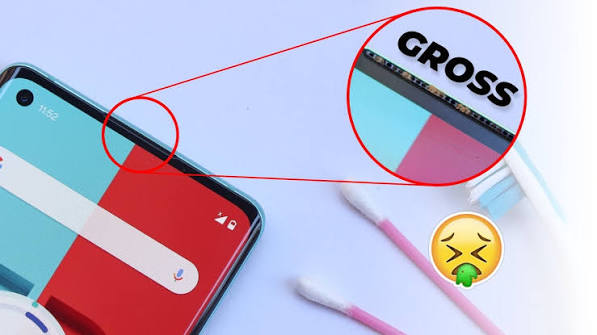
A phone call speaker cleaner can help improve the sound quality of your smartphone when calls start sounding low, muffled, distorted, or unclear. Over time, dust, dirt, lint, and tiny particles can collect inside the phone’s speaker grill. This buildup may reduce the volume of calls and make voices harder to understand.
Many people think their phone speaker is damaged when the real problem is simply dirt or moisture blocking the speaker opening. Using a phone call speaker cleaner correctly can help restore clearer sound without requiring an expensive repair.
In this guide, you will learn what a phone speaker cleaner is, why your call speaker may sound quiet, how to clean it safely, and what you should avoid when trying to improve your phone’s audio.
What Is a Phone Call Speaker Cleaner?
A phone call speaker cleaner refers to a method, tool, sound frequency, or cleaning process used to remove dust, debris, or moisture from the speaker area of a smartphone.
Your phone usually has more than one speaker. The small speaker near the top of the screen is commonly used during normal phone calls, while the larger bottom speaker is often used for music, videos, ringtones, and speakerphone mode.
Because the call speaker opening is small, dust can easily become trapped inside it. This can make conversations sound quieter even when your call volume is turned all the way up.
A proper cleaning method helps keep the speaker grill clear so sound can travel through it more effectively.
Why Does My Phone Call Speaker Sound Low?
There are several reasons why your phone’s call speaker may suddenly become quieter.
One of the most common causes is dust accumulation. Phones are constantly placed in pockets, bags, desks, and other surfaces where small particles can enter the speaker grill.
Other possible causes include:
- Dust or lint inside the speaker grill
- Moisture or water near the speaker
- A dirty phone case blocking the speaker
- Incorrect volume settings
- Bluetooth devices connected accidentally
- Software glitches
- Speaker hardware damage
- Screen protectors covering part of the earpiece
Before assuming that your phone needs professional repair, checking and cleaning the speaker area can be a useful first step.
How Does a Phone Call Speaker Cleaner Work?
Some phone call speaker cleaner tools use sound frequencies designed to make the speaker vibrate. These vibrations may help push small amounts of moisture or loose debris away from the speaker opening.
Other cleaning methods involve physically removing visible dust from the speaker grill using gentle tools.
The goal is simple: clear anything that may be blocking the sound coming from your phone’s earpiece speaker.
Sound-based speaker cleaners are particularly popular when a phone speaker has been exposed to small amounts of water. The vibration created by certain tones may help move trapped moisture away from the speaker membrane.
However, sound cleaning should not be considered a guaranteed repair method for serious water damage.
How to Clean Your Phone Call Speaker Safely
Cleaning your smartphone speaker requires care because the speaker components are delicate.
Start by removing your phone case. Sometimes cases or screen protectors can partially cover the earpiece area and reduce call volume.
Next, inspect the speaker grill under good lighting. If you notice visible dust or lint, gently clean the surface.
A soft, dry brush can be useful for removing loose particles. Move the brush gently across the speaker grill instead of pushing directly into the holes.
You can also hold the phone with the speaker facing downward while cleaning. This allows loosened debris to fall away from the device rather than moving deeper inside.
After cleaning, test the phone by making a call and gradually increasing the call volume.
Using Sound as a Phone Call Speaker Cleaner
Another option is using a sound-based phone call speaker cleaner.
These tools play specific frequencies through your phone speaker. The speaker membrane vibrates rapidly while the sound is playing. In some situations, these vibrations may help remove small water droplets or loose particles.
To use this type of cleaner:
- Increase your phone’s media volume.
- Place the phone on a clean and dry surface.
- Make sure the speaker is not covered.
- Play the speaker-cleaning sound.
- Repeat the process a few times if necessary.
- Test the speaker afterward.
If your phone recently came into contact with water, allow it to dry naturally as well. Avoid charging the device until you are confident that the charging port and other openings are dry.
What Should You Avoid When Cleaning a Phone Speaker?
Using the wrong cleaning method can damage your phone.
Avoid inserting sharp objects such as needles, pins, paper clips, or metal tools into the speaker grill. These objects may damage the internal speaker mesh or other components.
You should also avoid pouring cleaning liquids directly onto the speaker.
Compressed air can also be risky when used incorrectly. Strong air pressure may push dust deeper into the phone or damage sensitive components.
Instead, use gentle cleaning techniques designed for electronic devices.
The safest approach is usually to remove loose surface dust without pushing anything deeply inside the speaker openings.
Can Dust Really Reduce Phone Call Volume?
Yes. Even a thin layer of compacted dust can affect how clearly sound passes through a small speaker opening.
The top call speaker is especially vulnerable because its opening is usually narrow. Dust, skin oils, makeup, pocket lint, and other particles can gradually collect in the mesh.
As the blockage increases, voices during calls may sound distant or muffled.
Regular cleaning can help prevent buildup and keep your call audio clearer.
Phone Call Speaker Cleaner for Water or Moisture
If your speaker sounds distorted immediately after your phone gets wet, moisture may be trapped near the speaker.
A sound-based phone call speaker cleaner may help move small droplets by vibrating the speaker membrane.
However, avoid shaking the phone aggressively because this can move water deeper into the device.
You should also avoid placing the phone inside rice. Small rice particles or dust can enter ports and openings.
Instead, keep the phone in a dry, ventilated location and allow moisture to evaporate naturally.
If the device was heavily submerged or continues malfunctioning, professional inspection may be necessary.
How Often Should You Clean Your Phone Speaker?
There is no fixed schedule for speaker cleaning.
For most users, checking the speaker grill every few weeks is enough. People who frequently keep their phones in dusty environments, pockets, construction sites, workshops, or outdoor locations may need to clean them more regularly.
Regular light cleaning is generally better than waiting until a thick layer of dust develops.
Keeping your phone case clean can also reduce the amount of dirt that reaches the speaker openings.
Other Ways to Improve Phone Call Sound
If cleaning does not improve the call audio, check your phone settings.
Make sure the call volume is increased while you are actively on a call. Call volume controls can sometimes be separate from ringtone or media volume.
Also check whether your phone is connected to Bluetooth headphones, earbuds, a car audio system, or another wireless device.
Restarting your phone may resolve temporary software problems.
You should also install available system updates because manufacturers sometimes release updates that improve audio performance or fix calling issues.
If none of these methods work, the speaker itself may need professional repair.
When Should You Visit a Repair Technician?
A phone call speaker cleaner can help with minor problems caused by dust, lint, or small amounts of moisture, but it cannot repair damaged hardware.
Consider professional repair if:
- The speaker produces crackling sounds
- Call audio remains extremely quiet after cleaning
- The speaker stopped working after a heavy impact
- Your phone suffered serious water damage
- Audio disappears completely
- The speaker works only occasionally
A technician can inspect the internal speaker and determine whether cleaning, replacement, or another repair is required.
Benefits of Keeping Your Phone Speaker Clean
A clean speaker can improve your overall smartphone experience.
Clearer call audio makes conversations easier to understand, especially in noisy environments. Regular cleaning may also prevent dust from becoming tightly packed inside the speaker grill.
Maintaining your phone’s speaker can provide several benefits, including:
- Clearer phone conversations
- Better speaker volume
- Reduced muffled audio
- Improved media playback
- Less dust buildup
- Better overall phone maintenance
Simple preventive care can sometimes save you from unnecessary repair costs.
Frequently Asked Questions
Can I clean my phone speaker at home?
Yes. You can gently remove surface dust using a soft, dry brush or another phone-safe cleaning method. Avoid inserting sharp objects into the speaker grill.
Does a phone speaker cleaning sound really work?
Sound-frequency cleaners may help remove small amounts of moisture or loose particles by vibrating the speaker. Results can vary depending on the cause of the audio problem.
Why is my phone speaker still quiet after cleaning?
The issue may be caused by software settings, Bluetooth connections, internal speaker damage, or another hardware problem.
Can I use water to clean my speaker?
It is generally better to avoid applying water or liquid directly to smartphone speaker openings. Moisture can damage internal components.
Can a phone call speaker cleaner fix a broken speaker?
No. A phone call speaker cleaner may help with dust, debris, or minor moisture issues, but physically damaged speakers usually require professional repair.
Final Thoughts
A quiet or muffled call speaker does not always mean your smartphone is broken. Dust, lint, moisture, and other small particles can reduce speaker performance over time.
Using a phone call speaker cleaner and following safe cleaning practices may help restore clearer audio and improve phone call quality. Start with gentle cleaning, check your phone settings, and test the speaker again.
If cleaning does not solve the problem, the issue may be related to internal hardware. In that situation, having the device inspected by a qualified technician is the safest option.
Keeping your phone speaker clean regularly can help maintain better call clarity, stronger audio performance, and a more reliable smartphone experience.