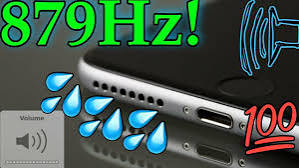
Is your phone speaker producing low, unclear, or muffled sound? Water, dust, moisture, or small particles may be blocking the speaker grille. This problem is common, especially when a phone is exposed to rain, water splashes, humidity, or dusty environments.
The good news is that you can use my speaker to play a cleaning sound that may push trapped water and loose dust out of the speaker. It is a simple and convenient method that does not require you to open your mobile phone.
This guide explains how speaker-cleaning sound works, how to use it correctly, what mistakes you should avoid, and when professional repair may be necessary.
Why Does My Phone Speaker Sound Muffled?
A phone speaker contains a small moving part called a diaphragm. It vibrates rapidly to produce sound. When water, dust, or debris blocks the speaker grille or affects the diaphragm’s movement, the sound may become weak or distorted.
Common causes of speaker problems include:
- Accidental water splashes
- Using the phone during rain
- High humidity during the monsoon season
- Dust entering from pockets or bags
- Sweat reaching the speaker during exercise
- Oil or dirt collecting on the speaker grille
- A thick or badly fitted phone cover
- Incorrect sound or Bluetooth settings
- Physical damage to the speaker
Before assuming that the speaker is permanently damaged, check whether a simple blockage or setting is causing the problem.
What Is My Speaker Cleaning Sound?
A speaker-cleaning tool plays specially designed sound tones through your phone’s built-in speaker. These tones make the speaker diaphragm vibrate. The vibration may help move water droplets and loose particles towards the speaker opening.
The my speaker tool can be opened through a web browser, making it easy to use on many Android phones and iPhones. You normally do not need to install a heavy application or create an account.
A sound cleaner is most useful when:
- The speaker sounds muffled after a light water splash
- The phone was used in rain
- Moisture is trapped near the speaker grille
- The speaker volume has become low because of loose dust
- Music and calls sound unclear after water exposure
However, a cleaning sound cannot repair a burnt, torn, disconnected, or physically damaged speaker.
How Does a Speaker Cleaner Work?
A phone speaker creates sound by moving its diaphragm backwards and forwards. A speaker-cleaning tone uses low-frequency pulses or changing sound frequencies to increase this movement.
The movement can create enough vibration to push small water droplets away from the diaphragm and towards the speaker grille. It may also loosen light dust that is blocking the grille.
The result depends on the condition of your device. Light moisture and loose dust may be removed more easily. Sticky dirt, corrosion, internal water damage, and broken hardware usually require professional attention.
How to Use My Speaker: Step-by-Step Guide
Follow these simple steps carefully for better results.
Step 1: Disconnect the Charger
If your phone has been exposed to water, remove the charging cable immediately. Do not charge a wet phone because moisture inside the charging port can create an electrical problem.
Step 2: Remove the Phone Cover
Take off the mobile cover or case. A thick cover may block the speaker opening and reduce vibration.
Step 3: Wipe the Outside
Use a clean, soft, and dry cloth to wipe visible water from the phone. Do not push the cloth, tissue, or any sharp object inside the speaker holes.
Step 4: Turn Off Bluetooth
Disconnect Bluetooth earphones, headphones, smartwatches, and external speakers. This ensures that the cleaning sound comes from the phone’s built-in speaker.
Step 5: Position the Speaker Downward
Hold or place the phone so that its speaker opening faces downward. This position allows gravity to help water move out instead of travelling deeper into the device.
Step 6: Open the Cleaning Tool
Open my speaker in your mobile browser and locate the cleaning or play button.
Step 7: Set a Suitable Volume
Increase the media volume so that the cleaning tone creates enough vibration. If the sound feels unusually harsh or the speaker starts crackling badly, stop the process and reduce the volume.
Step 8: Play the Cleaning Sound
Start the speaker-cleaning sound and let one complete cycle finish. Keep the speaker facing downward during the process.
Step 9: Test the Audio
After the cycle ends, play familiar music, a ringtone, or a voice recording. Check whether the volume and clarity have improved. If the sound is still slightly muffled, allow the phone to rest and repeat the process carefully.
Mistakes to Avoid After Your Phone Gets Wet
People often try risky home methods that can make the damage worse. Avoid the following mistakes:
Do Not Use a Hair Dryer
Hot air can damage seals, adhesive, plastic parts, the battery, and sensitive internal components. Strong airflow may also push water deeper into the phone.
Do Not Insert Pins or Toothpicks
Sharp objects can tear the speaker mesh or damage the diaphragm. They may also push dust further inside.
Do Not Shake the Phone Hard
Strong shaking can spread water to the battery, camera, charging port, microphone, or circuit board.
Do Not Charge a Wet Phone
Wait until the phone and charging port are completely dry. Follow any moisture warning shown on your device.
Do Not Open the Phone Yourself
Opening a modern smartphone without proper tools and experience may damage waterproof seals, cables, and other components.
Can My Speaker Work on Android and iPhone?
A browser-based cleaning sound can generally play on devices that support normal web audio, including many:
- Samsung phones
- OnePlus devices
- Xiaomi, Redmi, and Poco phones
- Realme phones
- Vivo and Oppo devices
- Motorola and Nokia phones
- Google Pixel devices
- Apple iPhones
- Tablets and some laptops
Results can vary because speaker size, design, grille position, and water resistance are different for every model.
Benefits of Using a Browser-Based Speaker Cleaner
A web-based speaker tool offers several practical benefits:
- No complicated setup
- No account registration
- Easy access through a browser
- Suitable for many phone brands
- No need to open the device
- Quick method for light moisture
- Helpful for testing muffled sound
- Simple for non-technical users
It is a useful first step before considering a repair, provided the phone has not suffered severe water or physical damage.
What If My Speaker Is Still Not Working?
The issue may not be water or dust. Try these basic checks:
- Restart your phone.
- Increase the media and call volumes.
- Turn off silent or Do Not Disturb mode.
- Disconnect all Bluetooth devices.
- Remove the phone cover.
- Test the speaker with another application.
- Check whether the problem happens during calls only.
- Install available system updates.
- Inspect the grille for visible damage.
If headphones work but the phone speaker does not, there may be a hardware or software problem.
When Should You Visit a Repair Technician?
Stop using cleaning tones and contact a qualified technician if:
- The phone produces no sound at all
- Crackling becomes worse at higher volume
- The device was fully submerged
- The phone entered seawater or another liquid
- The phone becomes unusually hot
- The device switches off repeatedly
- You notice corrosion or a burning smell
- The speaker remains muffled after proper drying
- The microphone and charging port also stop working
Liquids such as tea, soft drinks, seawater, and juice leave sticky or corrosive deposits. Sound vibrations cannot remove these deposits from internal components.
Frequently Asked Questions
Is My Speaker safe to use?
A cleaning sound is a non-invasive method because it does not require opening the phone. Use a reasonable volume and stop immediately if the speaker produces severe distortion or unusual noises.
Can it repair a broken speaker?
No. It may help with light water or loose dust, but it cannot repair torn components, loose connections, corrosion, or other physical damage.
How many times can I play the sound?
Start with one complete cycle and test the audio. If needed, repeat it after a short break. Repeatedly playing loud tones for a long time is unnecessary.
Does the tool remove water from the charging port?
It is mainly designed for the speaker. Do not rely on speaker sound to dry a charging port. Keep the phone disconnected from power and follow the manufacturer’s drying instructions.
Why is my speaker volume still low?
The cause may be a blocked grille, software settings, Bluetooth routing, an unsuitable cover, internal damage, or a worn speaker.
Conclusion
Water and dust can make a mobile speaker sound weak, distorted, or muffled. A sound-based cleaning tool offers a quick first step for removing light moisture and loosening small particles without opening the device.
For better results, remove the cover, disconnect Bluetooth, wipe away visible moisture, keep the speaker facing downward, and run my speaker carefully. If the sound does not improve or your phone shows signs of serious water damage, take it to a qualified repair technician instead of trying risky home methods.