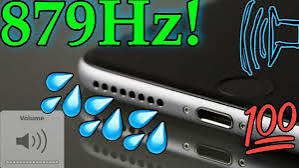
Accidentally dropping your phone in water, getting caught in heavy rain, or spilling a drink on your device can quickly cause audio problems. One of the most common issues people experience is a phone speaker not working after getting wet. Your phone may still turn on and work normally, but the speaker can sound muffled, distorted, unusually quiet, or completely silent.
The good news is that a wet phone speaker does not always mean the speaker is permanently damaged. In many cases, small water droplets remain trapped inside the speaker grille and temporarily affect the movement of the speaker membrane. With the right approach, you may be able to remove this moisture and restore normal sound without opening your phone.
In this guide, we will explain why a phone speaker not working after getting wet happens, what you should do immediately, safe ways to remove water from your speaker, and when professional repair may be necessary.
Why Does a Phone Speaker Stop Working After Getting Wet?
Modern smartphones contain very small and sensitive speaker components. When water enters the speaker grille, it can settle around the speaker membrane. Because the membrane needs to vibrate freely to create clear sound, moisture can interfere with these vibrations.
When you experience a phone speaker not working after getting wet, you may notice problems such as:
- Low speaker volume
- Muffled or unclear audio
- Crackling sounds
- Distorted music or calls
- Speaker working intermittently
- No sound from the speaker
- Audio that sounds like it is coming from underwater
Sometimes, the problem disappears naturally after the phone dries. However, if water remains trapped for too long, it may increase the risk of corrosion or internal damage.
What Should You Do Immediately After Your Phone Gets Wet?
If your phone has been exposed to water, acting carefully can prevent additional damage.
1. Remove the Phone From Water
Take your phone out of the water immediately. The longer a device remains exposed to liquid, the greater the possibility of moisture entering internal components.
2. Turn the Phone Off
If your device is heavily wet, switching it off can reduce the risk of electrical problems. Avoid repeatedly testing the speaker while the device is still wet.
3. Remove the Case
Phone cases can trap water around speaker openings, charging ports, and buttons. Remove the case and wipe the outside of your phone with a soft, dry cloth.
4. Keep the Speaker Facing Downward
Positioning the speaker grille downward may help excess water naturally move out of the openings.
Do not aggressively shake your phone because this could push moisture deeper into the device.
How to Fix a Phone Speaker Not Working After Getting Wet
If your phone speaker not working after getting wet problem is caused by trapped moisture rather than permanent hardware damage, several safe methods may help.
Use a Speaker Water Ejection Tool
One of the easiest methods is using a speaker cleaning or water-ejection sound. These tools produce specific sound frequencies that cause the phone’s speaker membrane to vibrate.
The vibrations can help push trapped water droplets out through the speaker grille.
Place your phone on a flat surface or hold it with the speaker facing downward. Run the speaker-cleaning sound and check whether small droplets begin appearing around the speaker opening.
You may need to repeat the process several times if a significant amount of water is trapped.
Let Your Phone Air Dry Naturally
Natural air drying is another safe solution when your phone speaker not working after getting wet.
Place the phone in a dry area with good airflow. Keeping the speaker facing downward may help moisture escape.
Avoid placing the phone directly under extremely hot sunlight. Excessive heat can negatively affect your phone’s battery, adhesive, display, and internal components.
A normal room-temperature environment is usually safer.
Avoid Using a Hair Dryer
Using a hair dryer might seem like a quick way to remove water, but it can create additional problems.
Hot air can:
- Damage internal components
- Affect waterproof seals
- Weaken adhesives
- Overheat the battery
- Push water deeper into the phone
If you want to use airflow, gentle room-temperature airflow is safer than concentrated hot air.
Should You Put a Wet Phone in Rice?
Putting wet electronics in rice has been popular advice for years, but it is not the most reliable solution.
Rice may absorb some moisture from the surrounding environment, but it cannot effectively pull water trapped deep inside a phone speaker. Small rice particles and dust may also enter the charging port or speaker grille.
For a phone speaker not working after getting wet, natural airflow and speaker water-ejection frequencies are generally more practical options.
Check Your Phone’s Speaker After Drying
Once your phone has had enough time to dry, test different types of audio.
You can check:
- Music
- Videos
- Ringtones
- Speakerphone calls
- Notification sounds
- Voice recordings
Start at a moderate volume rather than immediately using maximum volume.
If the audio gradually becomes clearer, moisture was probably responsible for the temporary problem.
Why Does My Speaker Sound Muffled After Water Exposure?
A muffled speaker is one of the most common symptoms after water exposure.
The speaker membrane creates sound by rapidly moving back and forth. Even a small water droplet can restrict that movement and make audio sound weak or unclear.
Therefore, if you notice a phone speaker not working after getting wet but you can still hear some sound, trapped water may be blocking normal speaker vibrations.
Water-ejection tones may help accelerate the process by creating controlled speaker vibrations.
Can a Waterproof Phone Still Get Water in the Speaker?
Yes.
Water-resistant smartphones are designed to reduce the risk of internal water damage, but their external speaker grilles are still exposed.
Water resistance does not necessarily prevent droplets from entering the speaker openings.
Even when the internal electronics remain protected, moisture around the speaker membrane can temporarily affect audio quality.
Additionally, water resistance can become less effective over time due to:
- Drops or physical damage
- Previous repairs
- Aging seals
- Exposure to heat
- Wear and tear
For this reason, you should still handle a wet water-resistant phone carefully.
How Long Does It Take for Water to Leave a Phone Speaker?
There is no exact drying time because it depends on how much water entered the speaker, the phone’s design, environmental humidity, and airflow.
Small amounts of moisture may disappear relatively quickly, while heavier exposure can require significantly more drying time.
If your phone speaker not working after getting wet continues for a long period even after careful drying and water-ejection attempts, the issue may involve more than trapped moisture.
Signs Your Phone Speaker May Be Damaged
Sometimes water can cause actual hardware damage.
Consider professional inspection if you notice:
- No speaker sound at all after drying
- Persistent crackling
- Extremely low volume
- Phone randomly restarting
- Charging problems
- Microphone problems
- Display abnormalities
- Device overheating
- Speaker becoming worse instead of improving
These symptoms could indicate moisture has reached internal electrical components.
What Not to Do With a Wet Phone Speaker
When trying to repair a wet speaker, avoiding harmful methods is just as important as choosing the correct solution.
Do not:
- Insert needles into the speaker grille
- Use sharp objects to remove water
- Blow compressed air directly into the speaker
- Apply excessive heat
- Shake the phone aggressively
- Charge a visibly wet phone
- Open the phone unless you have proper repair experience
Speaker grilles and membranes are delicate. Physical contact can permanently damage them.
How to Prevent Future Water Damage
Although accidents cannot always be avoided, simple precautions can reduce the risk.
Use a protective waterproof case when visiting pools, beaches, or other wet environments. Keep your phone away from sinks and drinks whenever possible. You should also avoid using your phone during heavy rain unless it has appropriate protection.
Most importantly, remember that “water-resistant” does not mean completely waterproof.
Frequently Asked Questions
Can water permanently damage a phone speaker?
Yes, prolonged or severe water exposure can damage speaker components. However, muffled audio immediately after water exposure is often caused by temporary moisture trapped around the speaker grille.
Can sound frequencies remove water from a phone speaker?
Sound frequencies can create strong speaker vibrations that may help move trapped droplets toward and out of the speaker grille.
Why is my phone speaker quiet after getting wet?
Water around the speaker membrane can prevent it from vibrating normally, resulting in quieter or muffled sound.
Should I charge my phone immediately after it gets wet?
It is safer to make sure the phone and charging port are completely dry before connecting a charger, especially if the device displays a moisture warning.
Will my phone speaker return to normal after drying?
If the problem is caused only by trapped moisture, the speaker may return to normal once the water has completely evaporated or been removed.
Conclusion
Dealing with a phone speaker not working after getting wet can be frustrating, but it does not necessarily mean your speaker is permanently damaged. In many cases, water trapped inside the speaker grille temporarily interferes with the speaker membrane and causes muffled, distorted, or low-volume audio.
Start by drying the exterior of the phone, keeping the speaker facing downward, and allowing natural airflow around the device. A speaker water-ejection tool can also create vibrations that may help remove trapped droplets faster.
Avoid dangerous techniques such as using excessive heat, inserting objects into the speaker, or aggressively shaking your device. If the speaker still does not work properly after the phone has completely dried, professional inspection may be necessary to determine whether water has damaged internal hardware.